
Download Video Subtitle Editor – Video Subtitle Editor, Subtitle Tool, Mobile Subtitle Utility
Overview
Video Subtitle Editor is a mobile application designed to empower users with the ability to edit and add custom subtitles to video content directly from their smartphones or tablets. The app addresses the growing need for accessible, on-the-go subtitle customization, particularly for users who frequently consume or share video media across different languages and formats. Whether you're preparing content for a multilingual audience, correcting timing in a foreign film, or personalizing a video for accessibility, this tool provides a streamlined workflow for precise subtitle management.
Target users include content creators, language learners, educators, and casual viewers who want greater control over how subtitles appear during playback. The app’s focus on mobile compatibility makes it ideal for users who prefer editing outside traditional desktop environments. It supports a wide range of modern video formats, eliminating common compatibility barriers that hinder subtitle integration. By enabling real-time preview and precise segment editing, Video Subtitle Editor enhances the overall viewing experience while maintaining video quality.
The developer did not provide additional technical details about the origin or background of the application. However, the app’s release date of November 8, 2013, indicates a long-standing presence in the mobile utility space. Its continued relevance suggests a stable core functionality that meets consistent user needs. In the broader app ecosystem, Video Subtitle Editor occupies a niche but valuable position as a specialized tool for media customization, bridging the gap between accessibility and user-driven content editing.
Key Features & Functionality
- Universal Format Support: The app supports all current video formats, allowing users to import and edit subtitles on virtually any video file without format-related limitations. This ensures compatibility across diverse sources, from personal recordings to streaming exports.
- Precise Segment Editing: Users can cut specific video segments and assign exact timing intervals for subtitle insertion. This feature enables fine-grained control over subtitle placement, which is crucial for aligning text with dialogue or actions in fast-paced scenes.
- High-Speed Conversion: With a processing speed of up to 600%, the app efficiently converts and renders subtitles while preserving original video quality. This rapid performance is beneficial for users managing multiple edits or large files.
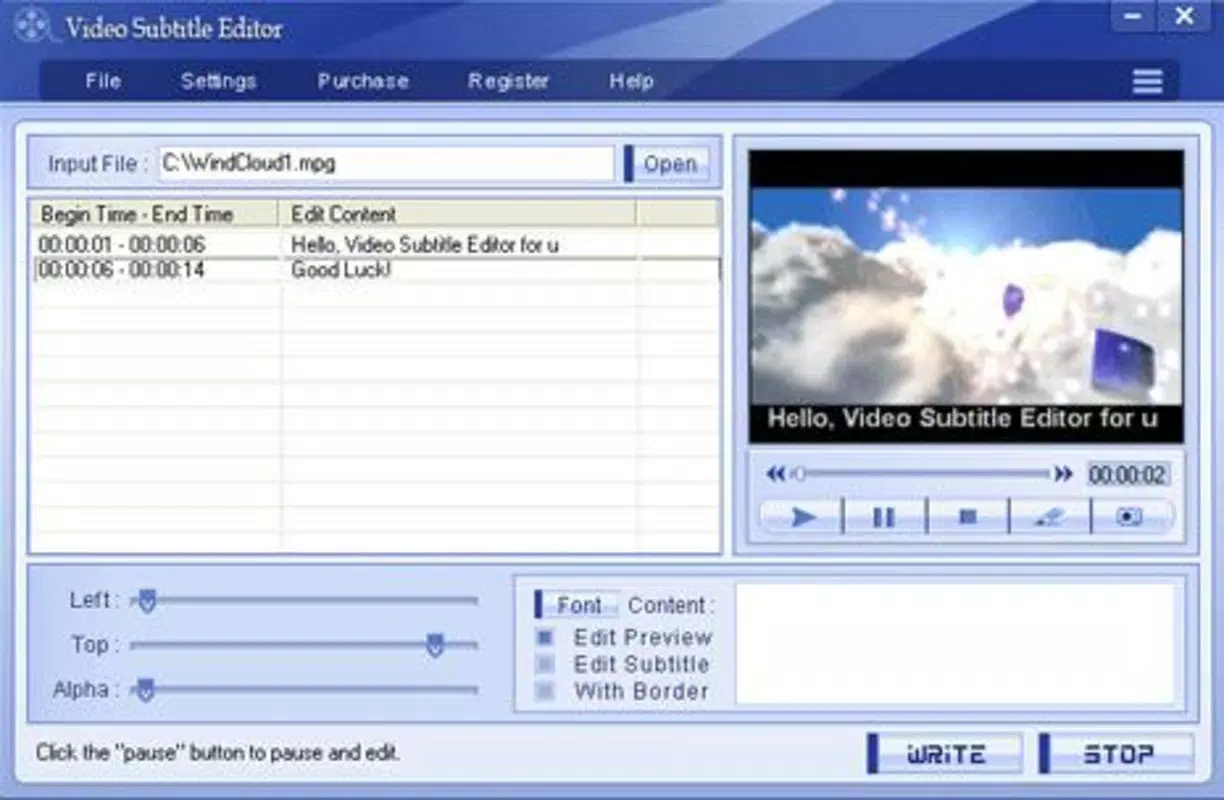
- Built-In Video Player: A simple, integrated player allows instant preview of edited subtitles during playback. This real-time feedback helps users verify timing, alignment, and readability before finalizing changes.
- Mobile Device Compatibility: Designed for smartphones and tablets, the app enables subtitle editing anytime and anywhere. This mobility is especially useful for users who need to make last-minute adjustments on travel or during breaks.
For example, a language learner might use the app to add subtitles in their target language to a foreign film, adjusting timing to match spoken phrases. A teacher could prepare educational videos with synchronized subtitles for students with hearing impairments. The ability to edit segments and preview results instantly enhances accuracy and reduces rework.
Interface, UX & Performance
The user interface of Video Subtitle Editor is designed to be functional and straightforward, prioritizing accessibility over visual complexity. The layout organizes core tools—video import, timeline editing, subtitle input, and playback preview—into intuitive sections, minimizing the learning curve for new users. Navigation is consistent across screens, with clear labels and logical flow between functions.
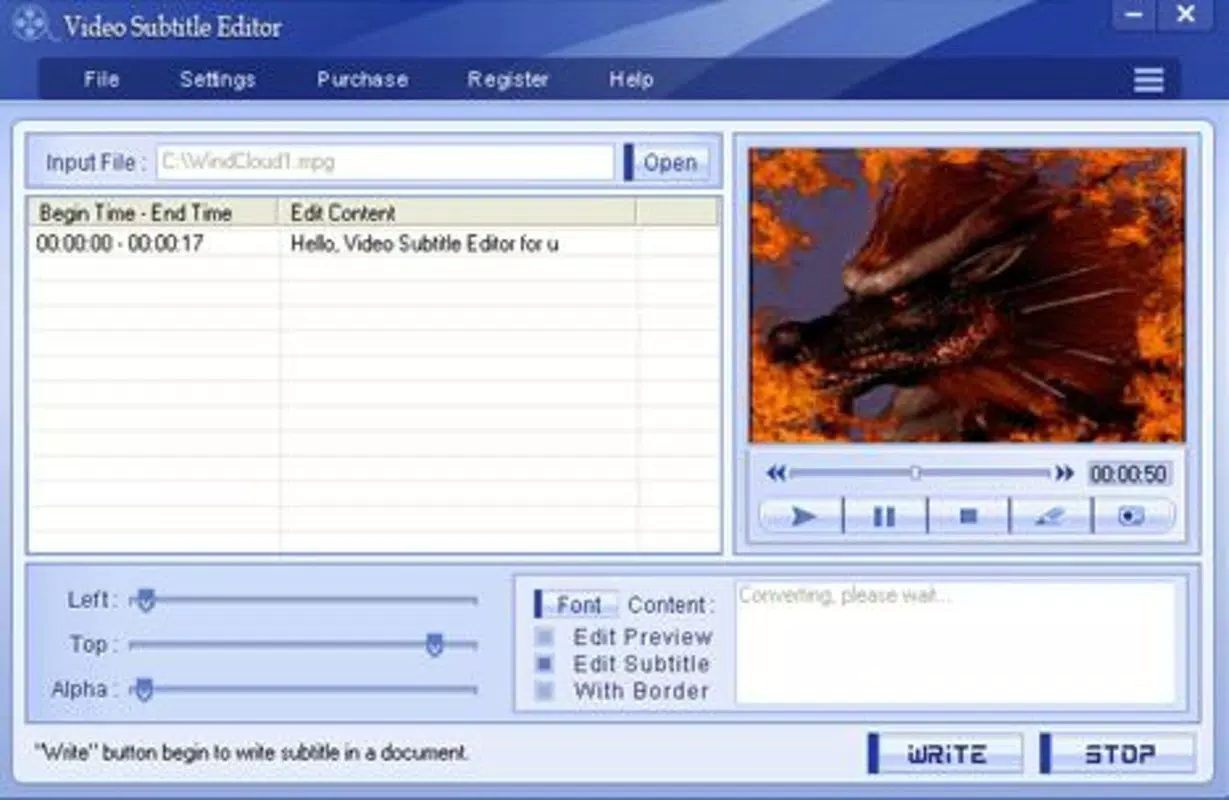
Visual style leans toward minimalism, focusing on usability rather than decorative elements. The timeline display allows users to visualize video segments and subtitle positions, supporting precise adjustments. The built-in player is responsive and integrates seamlessly with the editing tools, enabling smooth playback and pause functionality during edits.
Although the developer did not list formal performance metrics, the app’s high-speed conversion capability suggests optimized processing. It is expected to function efficiently across a range of mobile devices, including mid-tier and high-end smartphones and tablets. Stability appears to be maintained, given the app’s long-standing release history. However, specific requirements for device memory, processor speed, or battery usage were not disclosed.
Platform Compatibility & Technical Requirements
Video Subtitle Editor is available for mobile platforms, though the specific operating system (iOS or Android) was not listed. The app’s file size is not disclosed, nor are the minimum OS version or hardware requirements. Compatibility information was not fully disclosed, and the developer did not specify whether the app supports both iOS and Android or is limited to one platform.
Users should verify availability through official app stores. The software version and release date are confirmed as 2013-11-08, indicating a mature application with a stable feature set. No updates or version history beyond this date were provided. The app is available for download and installation on compatible mobile devices, with pricing details not specified in the input.
Pros and Cons
Pros
- Supports all modern video formats, ensuring broad compatibility.
- Offers precise control over subtitle timing and video segment editing.
- Includes a built-in video player for real-time preview.
- High-speed conversion preserves quality while reducing processing time.
- Designed for mobile use, enabling editing on the go.
Cons
- Specific platform and OS requirements were not listed.
- File size and technical specifications were not disclosed.
- No information on update frequency or future development plans.
- Compatibility with newer devices or OS versions is uncertain.
- Price and availability details were not provided.
FAQ
Is Video Subtitle Editor safe to download and use?
The app is designed as a utility tool for video editing and subtitle management. As with any third-party mobile application, users should download it from official app stores to ensure security and authenticity.
Can I edit subtitles on any video file with this app?
Yes, the app supports all current video formats, allowing users to edit subtitles on a wide variety of video files without compatibility issues.
Does the app require an internet connection?
Based on the available information, the app appears to function offline. No cloud-based features or online dependencies were mentioned.
Is Video Subtitle Editor available for both Android and iOS?
The developer did not specify platform availability. Users should check official app stores to confirm compatibility with their device.
How often is the app updated?
Specific update details were not provided. The last known release was in 2013, so users should verify if newer versions are available.
Final Thoughts
Video Subtitle Editor stands out as a dedicated, mobile-first solution for users who need reliable subtitle editing capabilities without relying on desktop software. Its support for universal video formats, precise editing tools, and built-in preview functionality make it a practical choice for educators, content creators, and language learners. The ability to edit on the go enhances flexibility, particularly for users managing media across different environments.
While the lack of updated technical details and platform-specific information may raise concerns about current compatibility, the app’s core functionality remains relevant. For users seeking a lightweight, efficient tool to add or modify subtitles on mobile devices, Video Subtitle Editor delivers tangible value. Its long-standing presence in the app market speaks to its stability and consistent performance.
Download Video Subtitle Editor now


